Quick answer
Why is Narinig Mo Ba not loading or progressing?
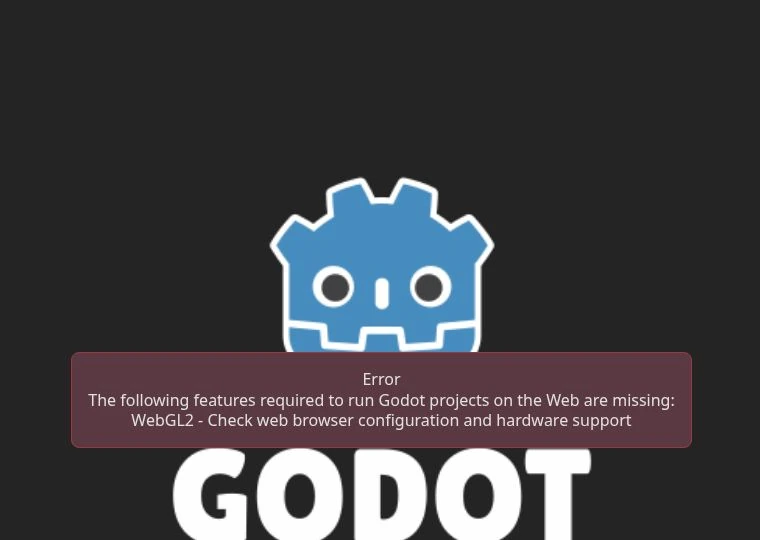
First separate a loading error from an unfinished transaction. A WebGL2 message points to graphics support; a waiting customer calls for checking the order, quantity, payment and dialogue. The developer also reports a v1.1.1 fix for a late-story softlock. Check the official build before restarting a long section.
- Developer update · touch support and v1.1.1 note ↗
- Official game page · premise and developer notices ↗
- Historical observation · 19 September 2026 WebGL2 startup capture; separate desktop playtest notes are dated 6 October 2026
Loading screen or blank frame
Open the official game page directly. Let the first download finish without repeatedly restarting it. Check the connection and close heavy background tabs. If it remains blank, note any visible error, then try another current browser. Test a private window only as a separate diagnostic session; do not expect it to contain progress from a normal window. Reloading can discard current progress.
Recognize a WebGL2 startup error
This screenshot comes from the 19 September 2026 browser session, which stopped before gameplay. It is a useful example of this specific startup error, not a current claim that the game cannot run. The separate 6 October desktop session reached the shop and completed recorded orders.
Three input problems observed during desktop play
- View will not pan upward: in the recorded session, finish the open dialogue choice before moving the pointer to the edge; return the pointer to the center after reaching the view.
- No readable price on the shelf: carry the selected item back to the front counter and hold the right mouse button. This produced the noodle and corned-beef prices in the recorded session.
- Cannot switch from ₱20 to ₱1 coins while holding change: the completed Lucia transaction used separate handovers, first two ₱20 coins and then two ₱1 coins. This observation does not diagnose every stuck-item problem.
See the recorded desktop controls and the worked checkout.
The story stops near the end
The developer’s comment on the September mobile announcement says v1.1.1 fixes a late-story softlock. Check the current official release before repeating a long sequence in an old build. The comment does not specify an exact trigger or guarantee recovery of an already stuck session. Record your version and the last completed action when reporting it.
A useful bug report
Include your device, operating system, browser and version, browser/native build, game version if visible, day or scene, expected result and actual result. List the shortest steps that reproduce the issue. Mention whether it occurs after a reload in a fresh session. Report game bugs to the developer through the official page; corrections to this guide belong to the guide owner.
Sources & updates
- Developer update · touch support and v1.1.1 note ↗
- Official game page · premise and developer notices ↗
- Historical observation · 19 September 2026 WebGL2 startup capture; separate desktop playtest notes are dated 6 October 2026